How to Add Comments in a Telegram Channel (2026 Guide)

Last updated: November 2026
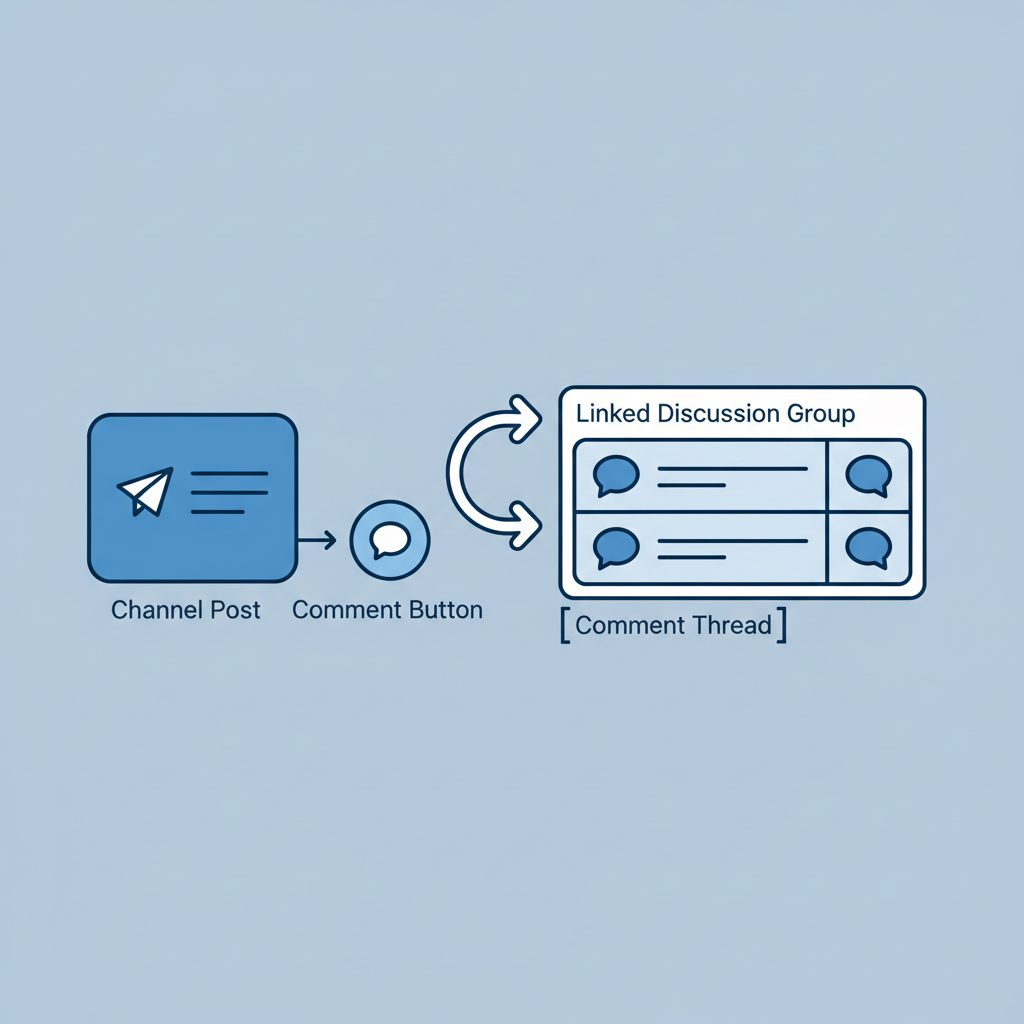
To add comments to a Telegram channel, you must link a dedicated discussion group to it in your channel's settings. This action adds a “Leave a comment” button below every new post you publish. As a result, each broadcast becomes a threaded conversation inside the linked group.
While enabling comments is a simple technical step, using them well requires a plan. It transforms a one-way broadcast channel into an interactive community hub. This guide explains the setup process, how to manage new user comments, and how to fix the most common problems channel owners face.
Key Takeaways
- Enable comments by linking a discussion group via your channel's main settings page.
- Every new post published after linking the group will automatically display a comment button.
- All comment moderation, including deleting messages and banning users, is managed within the linked group, not the channel itself.
- Install a moderation bot in the linked group early to automatically filter spam and enforce rules.
- Seeding initial posts with a few comments can help break the ice and encourage real members to participate.
What You Need Before Enabling Comments
Before you begin, you must meet two basic conditions. If you cannot see the option to add comments, it is almost always because one of these requirements is not met.
First, you must be the owner of the Telegram channel or an admin with the explicit permission to “Change Channel Info.” Without these admin rights, you cannot access the setting to link a group.
Second, you need a Telegram group to link. You have two options:
- Create a new group: This is the best approach. Telegram will create a new, empty supergroup just for your channel's comments. This keeps conversations organized and separate from other chats.
- Link an existing group: You can link a group you already own. However, the group cannot already be linked to another channel. When a channel post is sent, it will appear in this existing group, which could interrupt ongoing conversations.
How to Add Comments in a Telegram Channel: Step-by-Step
Linking a group is a permanent change until you choose to unlink it. The process takes less than a minute and only affects posts published after you make the change.
- Open Your Telegram Channel: Navigate to the channel where you want to enable comments.
- Access Channel Settings: Tap the channel's name at the top of the screen to open its profile page.
- Enter Edit Mode: Tap the pencil icon (Edit) in the top-right corner.
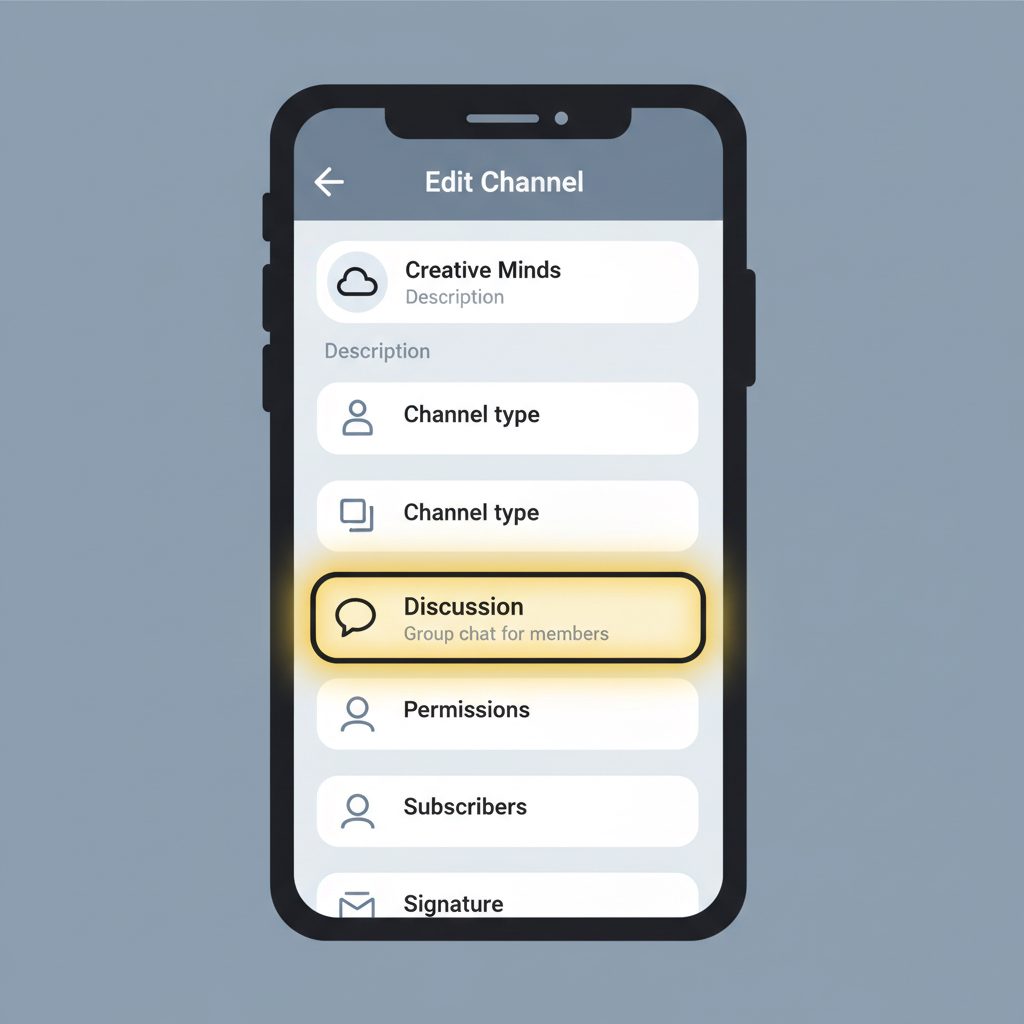
- Locate the 'Discussion' Option: On the 'Edit' screen, find and tap on 'Discussion'.
- Link Your Group: A menu will appear. Tap 'Link a Group'. Telegram will then show you a list of supergroups you own that are available to link. You will also see an option to 'Create a New Group'.
- Create and Link a New Group: Select 'Create a New Group'. Give the group a logical name, like "[Your Channel Name] Comments," and confirm. Telegram automatically handles the permissions and links it to your channel.
- Verify the Link: You will return to the 'Edit' screen. The 'Discussion' section should now show the name of the group you just linked.
- Test the Comment Feature: Go back to your channel and publish a new post. A “Leave a comment” button will now appear beneath it. Tapping this button takes users to the comment thread inside your linked group.
What to Do If the 'Discussion' Option Is Missing
If you go to your channel's settings and cannot find the 'Discussion' option, it is almost always due to one of two issues related to permissions.
- You Are Not the Owner or a Full-Privilege Admin: Only the channel owner or an administrator with the "Change Channel Info" permission can link a discussion group. If you are an admin, ask the owner to grant you this specific right. If you are just a subscriber, you cannot enable comments.
- Your App is Outdated: In rare cases, an outdated version of the Telegram app will not display modern features. Make sure your app is updated to the latest version from the App Store or Google Play.
Telegram added channel comments in 2020: comments on a post live in the channel's linked discussion group, which keeps the channel feed clean while the conversation happens in a dedicated space. Telegram Blog, 2020
How Should You Manage Your New Comment Section?
Enabling comments is easy, but managing them requires planning. A comment section is a public-facing part of your brand. For that reason, an unmanaged one filled with spam or abuse can damage your channel's credibility. All management activities happen within the linked group.
Moderation and Spam Control
Your linked group is a standard Telegram group, which makes it a target for spammers. Therefore, the single most important action you can take is to add a moderation bot.
- Add a Bot: Add a bot like
GroupHelporRoseto your linked group and grant it admin permissions. These bots can automatically delete messages containing links from new users, filter profanity, and enforce custom rules. - Set Group Permissions: In the group's settings, you can define what new members are allowed to do. For example, consider restricting new users from sending media or adding other users for the first 24 hours to prevent spam attacks.
- Manual Moderation: As an admin, you can long-press any comment in the group to delete it, or tap the user's profile to ban or restrict them.
For a deeper look at your options, our guide on the best Telegram bots for channel management provides a detailed comparison of the top moderation tools.
Can You Add Comments to Old Posts?
No, you cannot. The comment button is attached to a message when it is published. Consequently, any posts made in your channel before you linked the discussion group will not have a comment button. If you want to get feedback on an older post, the best workaround is to share that post again into your channel with a new message asking for comments.
Seeding Comments to Overcome Initial Silence
An empty comment section can discourage real members from participating, as people often wait to see other comments before they join in. This is a common social proof problem that a service can help solve.
For instance, a service like TGRU's Telegram Comments is designed for this exact situation. It allows you to add a few on-topic comments to a new post to get the conversation started. The goal is to break the ice and signal to your audience that discussion is welcome. This makes real users more comfortable sharing their own thoughts. However, this tool is intended for the initial phase after enabling comments. If your community is already active and self-sustaining, you do not need it.
What to do this week
This week, enable comments on one of your key posts. Start by linking a new discussion group, add a moderation bot like GroupHelp, and post a message with a question to encourage your first few comments. Monitor the discussion and reply to a few users to show you're engaged.
How to Encourage the First Comments
When you first enable comments, you might find that nobody posts anything. People are often hesitant to be the first to speak, so an empty comment section can discourage others from participating. To solve this, you can seed the conversation. Our Telegram Comments & Polls service is designed for this specific purpose. We add a few starter comments to your new posts. This helps break the ice and shows your real subscribers that discussion is active and welcome, making them more comfortable sharing their own thoughts. This service is only for getting things started. It does not generate ongoing, organic conversation or replace the need for you to engage with your community. It is simply a tool to overcome the initial hurdle of an empty comment section.
Frequently Asked Questions
How does the Telegram channel search work?
Telegram's global search bar lets you find public channels by their name or username (@username). Private channels are not indexed and cannot be found via search; they can only be joined via an invite link. Search results are based on the number of subscribers and relevance to your search term.
How do I add people to a Telegram group or channel?
You can manually add up to 200 members to a group or channel from your contacts. Beyond that, you must use an invite link (t.me/...). For groups, anyone with the link can join. For channels, the link allows them to view and subscribe. Our guide explains the nuances of adding more than 200 members to a Telegram group.
What is a Telegram channel link?
A Telegram channel link is a unique URL that directs users to your channel. For public channels, it's a simple t.me/YourChannelUsername. For private channels, it's a longer, randomized invite link. You can find your channel's link by going to your channel info page, tapping 'Edit', and then 'Channel Type'.
What makes a Telegram channel 'forbidden'?
A channel becomes 'forbidden' or inaccessible when it is found to be in violation of Telegram's Terms of Service. This is typically for distributing illegal content, pornography, copyright-infringing material, or conducting scams. Access may be blocked globally by Telegram or restricted on certain platforms like iOS and Android due to app store policies. Telegram Terms of Service outlines the specific rules.
Can I add someone to Telegram by their username?
Yes. You can search for a person's public username in the global search bar. If you find them, you can start a chat directly without needing their phone number. You can then add them to your contacts, which makes it easier to invite them to groups or channels later.