
How to Add More Than 200 Members in a Telegram Group (2026)

Last updated: October 2026
To add more than 200 members to a Telegram group, you must convert it into a supergroup. A Telegram supergroup is an upgraded group type for large communities, raising the member limit from 200 to 200,000 and adding advanced moderation tools. This official upgrade is the only way to grow beyond the initial cap.
The 200-member limit on basic groups is an intentional anti-spam feature. Telegram designed this cap to restrict how many users you can add directly from your contacts. However, once you convert your group to a supergroup, Telegram lifts this restriction. From that point, growth happens when new members join through invite links. This guide explains how to perform the upgrade and effectively grow your community on a platform with a massive user base.
800 Million
Key Takeaways
- Convert to a Supergroup: The 200-member limit applies only to basic groups. Converting to a supergroup raises the member capacity to 200,000.
- Understand the Limit's Purpose: The initial cap is an anti-spam measure. It limits how many users you can personally add from your contacts, not the group's total size.
- Use Invite Links for Growth: After converting, all large-scale growth comes from sharing public or private invite links, not by manually adding contacts.
- Public vs. Private Matters: A public group gets a permanent
t.melink. This link makes your group discoverable in Telegram's search results and easier to promote. - Bought Members Provide Social Proof: Purchasing members can kickstart a group by creating initial credibility, but this is not a substitute for genuine engagement.
Why does Telegram have a 200-member limit?
Telegram's group structure is tiered. The initial group you create is a basic group, designed for small circles like friends or teams. It has a hard cap on members you can add from your contacts. This is not a bug; it is a feature designed to prevent users from being added to spam groups without their consent.
When a group approaches this 200-member limit, the owner can upgrade it to a supergroup. This conversion is the key to adding more members. The question is not how to bypass a rule, but how to graduate from one group type to another. The potential audience is significant, as Telegram is one of the most popular messaging platforms globally. According to Telegram's official FAQ, this upgrade is the intended path for any community that wants to grow.
How do you add more than 200 members to a Telegram group?
Follow these steps to configure your group for large-scale growth. You must be the group's creator or an admin with the correct permissions to perform these actions.
-
Create a Basic Group: Start by creating a new group from the main menu. Add a name, a profile picture, and at least one other member to initialize it.
-
Add Your First Members: You can now add up to 200 members from your personal contact list. This is the only stage where this specific limit applies. This step is useful for seeding the group with a core community.
-
Convert to a Supergroup: This is the most critical step. Go to your group's settings (tap the group name at the top), then tap the "Edit" (pencil) icon. In recent versions of Telegram, this upgrade happens automatically as the group approaches the 200-member mark. If not, you will see an option to 'Convert to Supergroup'.
-
Make the Group Public (Optional but Recommended): In the same settings menu under "Group Type," switch from "Private" to "Public." A public group requires you to create a unique
t.me/your_group_link. This link is permanent and allows anyone to find and join your group. In contrast, private groups can only be joined via specific invite links that you generate and share. -
Create and Share Invite Links: Once you have a supergroup, growth comes from invite links. Navigate to Group Settings > Invite Links. You can create a primary link or multiple temporary links with usage limits or expiration dates. Share these links on websites, social media, or in newsletters.
-
Monitor Growth and Engagement: As new members join, use Telegram's built-in admin tools or specialized bots for channel management to welcome new users, enforce rules, and analyze activity.
What are the best ways to grow a supergroup?
Once you have a supergroup, the challenge shifts from increasing the member limit to attracting new people. Different methods suit different goals and budgets.
| Method | Cost | Speed | Risk Profile | Best For |
|---|---|---|---|---|
| Organic Sharing | Free | Slow | Low | Niche communities, building genuine engagement. |
| Cross-Promotion | Varies | Medium | Low | Partnering with groups of a similar size and topic. |
| Public Directory Listing | Free / Paid | Slow | Low | Long-term discoverability in third-party catalogs. |
| Telegram Ads Platform | Paid (€2+ CPM) | Fast | Medium | Businesses with a budget and specific targeting needs. |
| Buying Members | Paid | Very Fast | Varies | Establishing initial social proof for a new group. |
€2 CPM The minimum cost per mille (price per 1,000 impressions) for sponsored messages on Telegram's official ad platform., Telegram Ad Platform, 2024
Is it a good idea to buy Telegram members?
Buying members is often viewed with suspicion, but it serves a practical purpose: overcoming the "empty room" problem. A potential member is more likely to join a group with 1,000 members than one with 10. This strategy creates initial social proof and perceived authority.
To solve this problem, a service provider like TGRU can help. We offer several tiers of Telegram Members to add to public groups. For example, as of October 2024, prices for mixed-country members start as low as $3.30 per 1,000. These services are designed to quickly and affordably increase the member count on your group's profile.
However, it is important to be clear about what this service does. These members are for population count, not active engagement. They will not participate in discussions, vote in polls, or become customers. For services that generate activity, you would need to explore options like Telegram comments and reactions.
Therefore, buying members is a foundational step, not a complete solution. It's best used at the beginning of a group's life to make it appear established. This makes your organic growth efforts more effective.
A large member count acts as social proof, signaling to prospective members that the group is active and valuable.
For a deeper analysis of the different types of members and their benefits, see our buyer's guide to Telegram group members.
What are the risks of adding members too quickly?
Adding members rapidly carries two primary risks: triggering Telegram's anti-spam filters and damaging your group's credibility. Telegram's automated systems can flag a sudden, massive influx of members into a brand-new group. This can lead to temporary restrictions on the account performing the additions, which is more common with low-quality providers using aggressive methods.
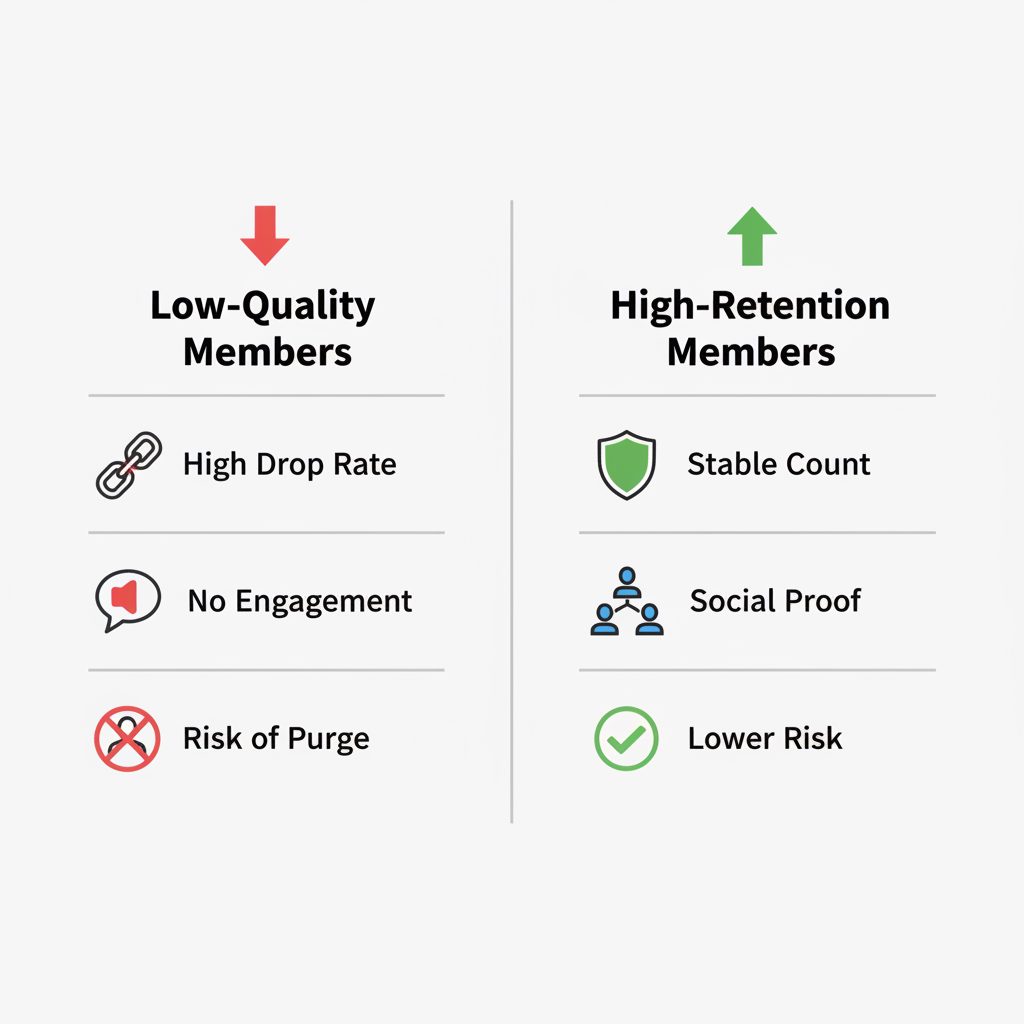
The most significant risk is not a ban, but a high drop rate. Low-quality purchased members often come from compromised or bot accounts that Telegram regularly purges.
To reduce this risk, professional services use a "drip-feed" feature. This adds members gradually over hours or days to mimic organic growth. When purchasing, it is vital to understand the provider's policy on retention and refills. Some services, often the cheapest, offer no guarantee. In contrast, others provide a refill window (for example, 30 days) where they will replace any members that drop. This is a key factor for resellers and long-term projects, as discussed in our guide for wholesale Telegram members.
What's a good plan for the first week?
If you are starting a new group today, here is a practical plan for your first week.
- Day 1: Create your group, define its purpose and rules, and immediately convert it to a public supergroup with a memorable
t.melink. - Day 2-3: Add your core community (up to 200) from your personal contacts. Create your primary invite link and share it on your existing social profiles, website, and email signature.
- Day 4-5: To build initial credibility, consider a small, foundational purchase of 500 to 1,000 members. Use a drip-feed option if available.
- Day 6-7: Start posting high-value content. Welcome any new organic members personally and begin fostering the community culture you want. Monitor your analytics.
Frequently Asked Questions
Can I add more than 200,000 members to a Telegram group?
No, 200,000 is the absolute maximum capacity for a Telegram supergroup. For an audience larger than that, you must use a Telegram Channel, which allows for an unlimited number of subscribers. Channels are designed for one-way broadcasting, not community discussion.
Why can I only add 50 of my contacts to a group?
Telegram limits the number of people you can personally add from your address book to any single group. This limit is often around 50 per day and helps prevent spam. The 200-member limit for basic groups refers to the total number that can be added this way before the group must become a supergroup.
What's the difference between adding members and them joining via a link?
Adding members manually from your contacts is a "forced" action with strict limits. When users join voluntarily via an invite link, it signals genuine interest to Telegram's systems. This method is not limited beyond the group's 200,000-member capacity and is always preferred for growth.
Do purchased members drop or disappear?
Yes, low-quality members often have very high drop rates as Telegram purges bot accounts. Reputable providers offer different tiers of service based on retention. TGRU, for example, offers basic members with no refill, as well as separate services with 3-day, 30-day, and even 200-day non-drop periods at different price points.
Will buying members get my group banned?
Telegram is extremely unlikely to ban your group for having purchased members. The greater risk lies with the user account used to add the members (if done via spammy methods). The other risk is the simple loss of members when Telegram performs a platform-wide cleanup of bot accounts. Always choose a provider that uses safe addition methods.
How do I make my Telegram group public?
To make your group public, go to your group's information page, tap "Edit," then select "Group Type." Change the setting from "Private" to "Public." You will then need to create a unique public link, which will look like t.me/yourchoicename. This link becomes the group's permanent address.