Telegram Emoji Reactions: The 2026 Guide for Channel Owners

Last updated: November 2026
Telegram emoji reactions are a quick feedback mechanism allowing users to respond to a message without typing. First introduced in late 2021, they have become a primary signal of post engagement, serving as social proof for channel owners and a low-friction way for subscribers to interact.
For channel managers, reactions present two paths: fostering organic engagement or purchasing reactions to build immediate social proof. This guide explains the mechanics of both. You will learn how to manage reaction settings, the difference between standard and custom emojis, and how to strategically use purchased reactions to make your content appear more active and credible.
How Do Telegram Reactions Work?
Telegram reactions operate with distinct rules for users and administrators. For users, the process is simple. A double-tap on a message sends a quick thumbs-up reaction by default, though users can change this in their app settings. Pressing and holding a message reveals a wider set of available emojis chosen by the channel admin.
According to Telegram's official blog, administrators in both groups and channels decide whether to enable reactions and select which specific emoji are available for their community. Source: Telegram
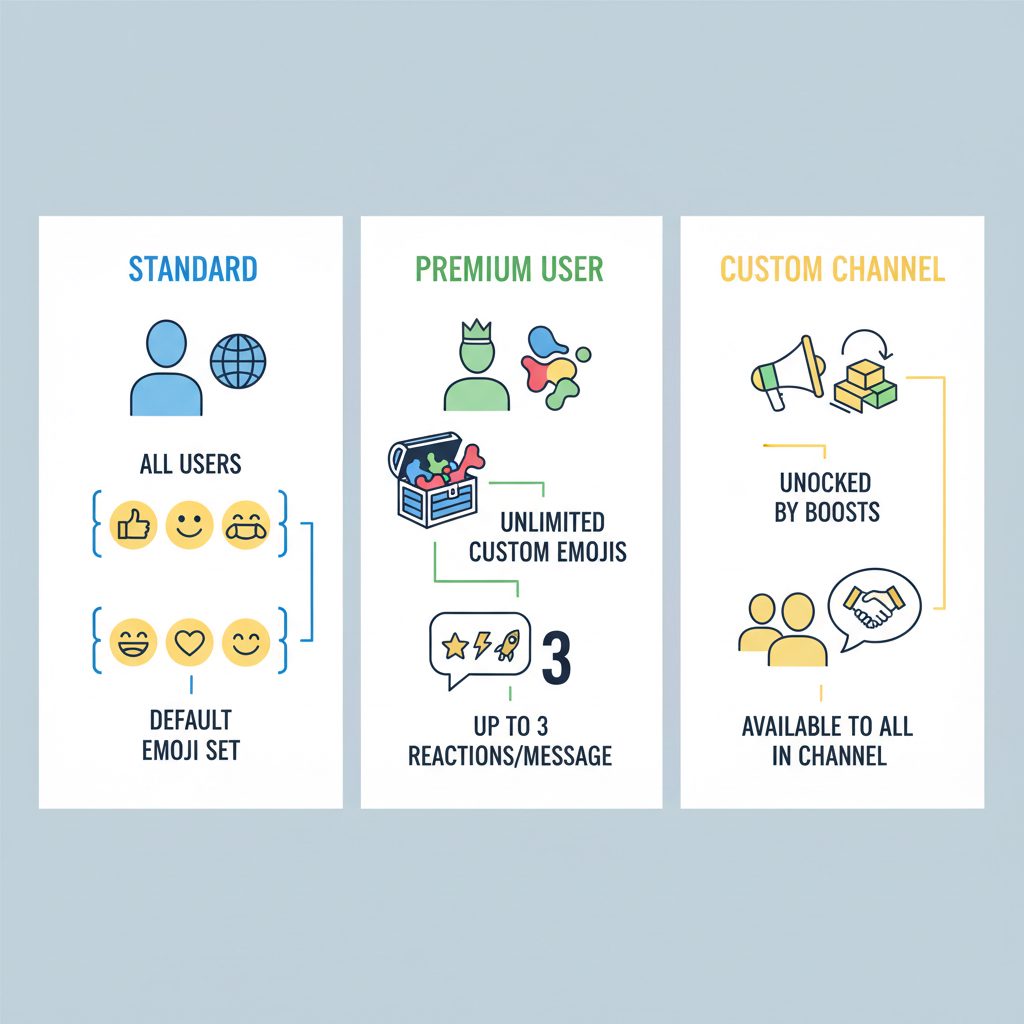
Telegram Premium subscribers have expanded capabilities. They can apply up to three distinct reactions to a single message and have access to an effectively unlimited selection of custom emojis for their reactions. The multi-reaction feature remains a Premium benefit.
What's the Difference Between Standard, Premium, and Custom Reactions?
The type of reaction a user can leave depends on their subscription status and the channel's settings. Channel owners need to understand these tiers to manage engagement effectively. A channel can unlock custom reactions for all its subscribers through a 'boost' system, where each level gained from Premium members boosting the channel adds one custom reaction slot.
| Feature | Standard Reactions | Premium User Reactions | Custom Channel Reactions |
|---|---|---|---|
| Availability | All users | Telegram Premium subscribers | All users in a boosted channel |
| Emoji Source | Default Telegram set | Unlimited custom emojis | Admin-selected custom emojis |
| Limit per Message | 1 | Up to 3 | 1 (unless user is Premium) |
| Admin Control | On/Off, select from defaults | Limited by the admin's allowed reactions | On/Off via channel boost level |
This tiered system means that while all users can participate, Premium users have a much broader vocabulary of expression. For channel owners, the key is the boost system, which turns subscriber loyalty into new engagement features for the entire channel.
Why Buy Telegram Reactions? The Role of Social Proof
Buying Telegram reactions is less about tricking an algorithm and more about managing human perception. A post with thousands of views but zero reactions can appear inactive or uninteresting to new visitors. This lack of social proof can discourage organic interaction. Adding a base layer of reactions can break this inertia, making subsequent users more comfortable adding their own.
Social Proof: When a post shows engagement (likes, comments, reactions), it signals value and trustworthiness to new viewers, making them more likely to engage themselves.
Strategic uses for purchased reactions include:
- Breaking the Ice: Give new posts an initial push to encourage organic engagement.
- Highlighting Key Content: Ensure important announcements or flagship posts have visible engagement metrics that reflect their significance.
This strategy is about perception management. For a more detailed analysis of the risks and rewards, our guide to fake Telegram reactions offers a buyer-centric perspective.
TGRU's Panel for Telegram Post Reactions
TGRU provides services for channel owners to buy Telegram reactions in bulk. This is a tool for applying social proof on demand. The service delivers a set number of reactions from a mixed network of accounts to a specific post URL. It's designed for speed and volume.
For example, TGRU's pricing for mixed-country positive reactions starts at just $0.0110 per 1,000 reactions (as of November 2026). Negative reactions are also available at a slightly different rate. These services are straightforward: you provide the post link and choose the quantity.
What this service does not do is generate organic engagement. The reactions are from an external network, not your actual subscribers. They do not lead to clicks, sales, or comments. This tool is purely for adjusting the visible metrics on a post. It is best used by channel managers who need to quickly bolster a post's appearance or by resellers integrating via an API. For building a real community, focus on organic growth strategies.
To see the available packages, visit the Telegram Reactions service page.
How Are Purchased Reactions Delivered?
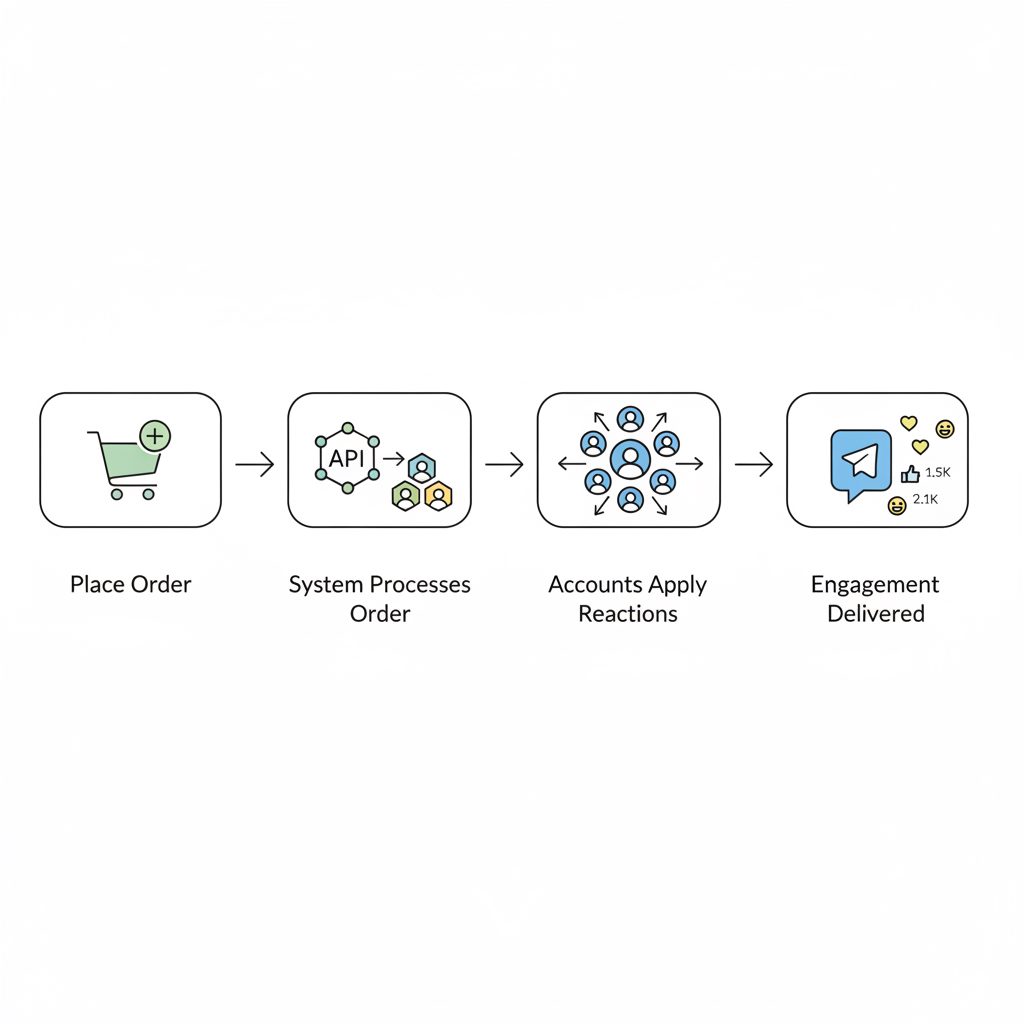
When you buy reactions from a panel, the order is processed through an automated system. The service directs a network of accounts to access your public post's URL and apply the selected emoji. The sophistication of this network determines the quality and stability of the service.
Key delivery factors include:
- Delivery Speed: How quickly the reactions appear after the order is placed. Most services begin delivery within minutes for standard orders.
- Drop Rate: Reactions can drop when the source accounts are removed, which is why TGRU lists Non Drop and 7 to 180 day refill reaction lines alongside the basic ones.
- Source Accounts: The accounts used can range from simple bots to more sophisticated emulated profiles. Geo-targeted options, like Ukrainian reactions, use accounts that appear to be from that region, though this is primarily for appearance.
Resellers and agencies often use SMM panels to buy and resell Telegram reactions for profit, leveraging APIs to automate fulfillment for their clients.
Checklist: Managing Reactions for Channel Growth
Use this checklist to build a coherent reaction strategy for your Telegram channel.
- Enable Reactions: Navigate to your channel's settings (
Channel Info > Edit > Reactions) and ensure they are turned on. - Curate Your Emoji Set: Don't enable all reactions. Choose a limited set (3-6) that aligns with your brand's tone and the feedback you want. This prevents decision fatigue for your audience.
- Prompt for Engagement: Actively ask your subscribers to use reactions. Simple calls to action like "React with 🔥 if you find this useful" can significantly increase interaction.
- Monitor Reaction Data: Pay attention to which posts earn the most organic reactions. This is direct feedback on what content resonates most with your audience.
- Use Purchased Reactions Strategically: Apply purchased reactions to key posts immediately after publishing to create instant social proof. Focus them on the posts that matter instead of every post. This tactic should complement other Telegram channel growth hacks.
Frequently Asked Questions
Why can't I react to a Telegram post?
If you are unable to react, it's almost always because the channel or group administrator has disabled reactions entirely. They may have also enabled reactions but restricted the available emoji set to a few options, or even none, effectively turning the feature off.
How do I unlock custom emoji reactions for my channel?
Custom reactions are unlocked via channel 'boosts'. Telegram Premium subscribers can assign their boost to your channel. As your channel gains more boosts and reaches higher levels, it unlocks slots for custom emoji that you, the admin, can select and make available to all subscribers.
Can admins see who reacted on a Telegram channel?
No. On Telegram channels, reactions are anonymous. Administrators can see the total count for each reaction emoji on a post, but they cannot see a list of the specific users who left each reaction. This privacy feature encourages more users to leave feedback without fear of being identified.
Is there a limit to how many reactions a post can have?
There is no documented public limit on the total number of reactions a single post can accumulate from all users. However, individual users are limited. A standard user can apply one reaction per post, while a Telegram Premium subscriber can apply up to three different reactions to the same post.
What's the difference between positive and negative reactions?
Functionally, there is no difference; both are engagement signals. The distinction is in the sentiment they convey (e.g., 👍 vs. 👎). SMM panels often price them differently based on market demand or the cost to supply them. For instance, TGRU's negative reactions are priced slightly higher than positive ones as of November 2026.
How do I add reactions on Telegram?
You can add a quick reaction by double-tapping a message, which usually sends a thumbs-up. For more options, press and hold the message to open a menu showing all the reactions the channel admin has enabled. From there, you can select the one you wish to use.