Telegram Comments Not Showing: A 6-Step Fix Guide for 2026

Last updated: November 2026
Telegram comments not showing is a common issue, most often because the channel is not correctly linked to a discussion group. This problem stops users from viewing or adding comments to posts, usually appearing as a missing comment button or a loading spinner that never resolves. Other causes include app bugs, outdated software, or channel restrictions.
This guide explains how to fix the issue, starting with the most frequent setup error. For users, the fix often involves simple app maintenance.
Key Takeaways
- Ensure your channel is linked to a dedicated discussion group in your channel settings to enable the comments feature.
- Clear your app's cache and update Telegram to the latest version to resolve common client-side loading errors.
- Verify that neither the channel nor your specific user account has restrictions that might disable comment visibility.
- Check official sources like Telegram's bug platform or social media for reports of widespread outages if the problem persists.
- For new channels, seeding the discussion with initial comments can encourage organic participation once the feature is working.
How to Enable Comments on a Telegram Channel
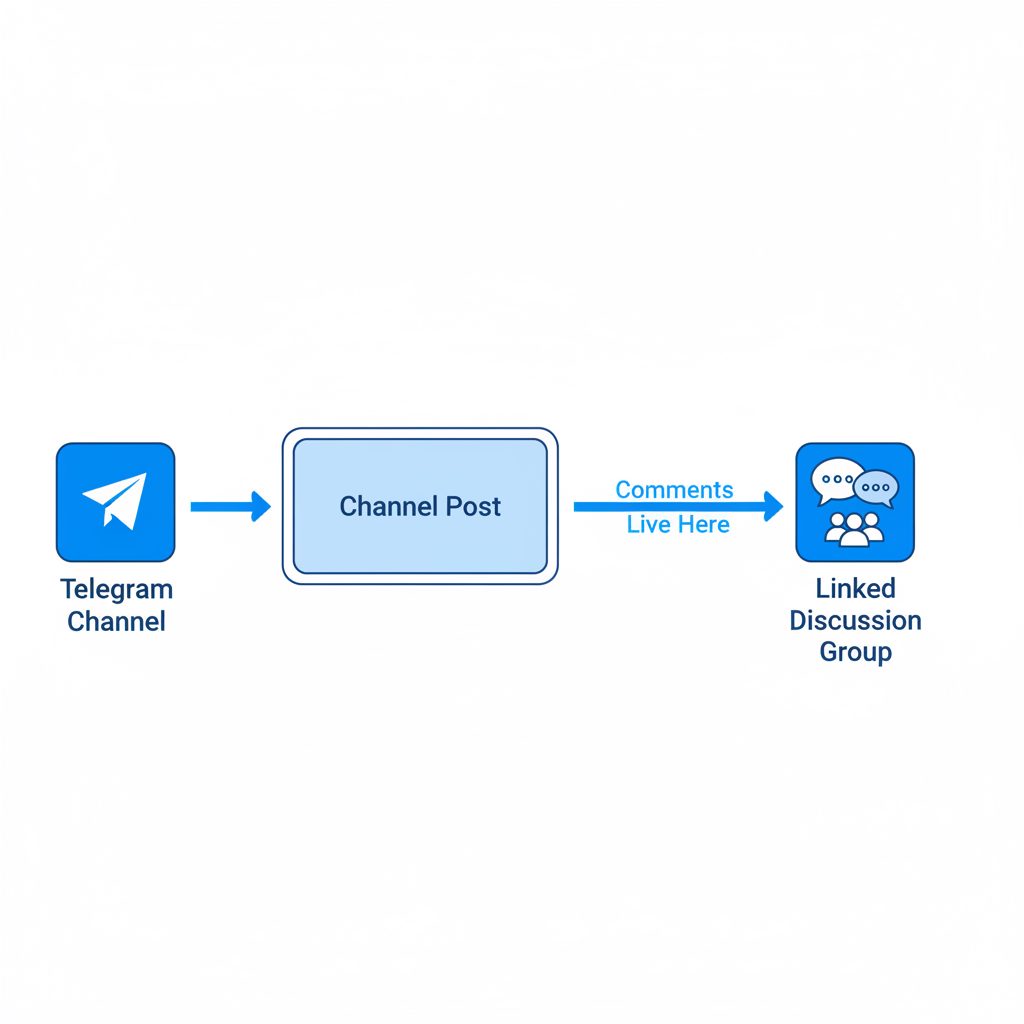
The most frequent reason for the “Telegram comments not showing” issue is a simple setup error. A channel's comments are powered by a separate, linked group; they are not a standalone feature.
Every post in the channel automatically creates a matching thread in the linked group where the comments exist. This connection is the foundation of the feature.
Discussion Group: A standard Telegram group that is officially connected to a channel. When linked, each new channel post gets its own topic thread within this group. Messages sent in that thread then appear as comments under the channel post.
This link between a channel and a group is the foundation of the comments feature. If the group is unlinked, deleted, or has restrictive permissions, comments will stop working.
If the comments button is missing entirely, this is almost certainly the cause. Here is the correct procedure to link a group and enable comments.
- Open Your Channel Settings: Navigate to your Telegram channel. Tap the channel header at the top to open its profile page, then tap the “Edit” button (pencil icon).
- Locate the 'Discussion' Section: In the channel settings menu, find and select the “Discussion” option. This is where you will link the group that will host your comments.
- Create or Link a Group: Telegram will prompt you to link an existing group or create a new one. For a clean setup, it is best to create a new, dedicated group by tapping “Create a New Group.” Give it a relevant name, like "[Your Channel Name] Chats."
- Confirm the Link: After creating or selecting your group, Telegram will confirm the link. The group you chose will now be the official comment section for your channel.
- Test with a New Post: Post a new message to your channel. A “Leave a comment” button should now appear automatically beneath the post. Existing posts made before the group was linked will not have the comments button.
- Configure Group Permissions (Optional): Open the linked discussion group's settings to manage what members can do. You can configure slow mode, anti-spam bots, or content restrictions to maintain a healthy comment section.
Why Aren't My Telegram Comments Loading?
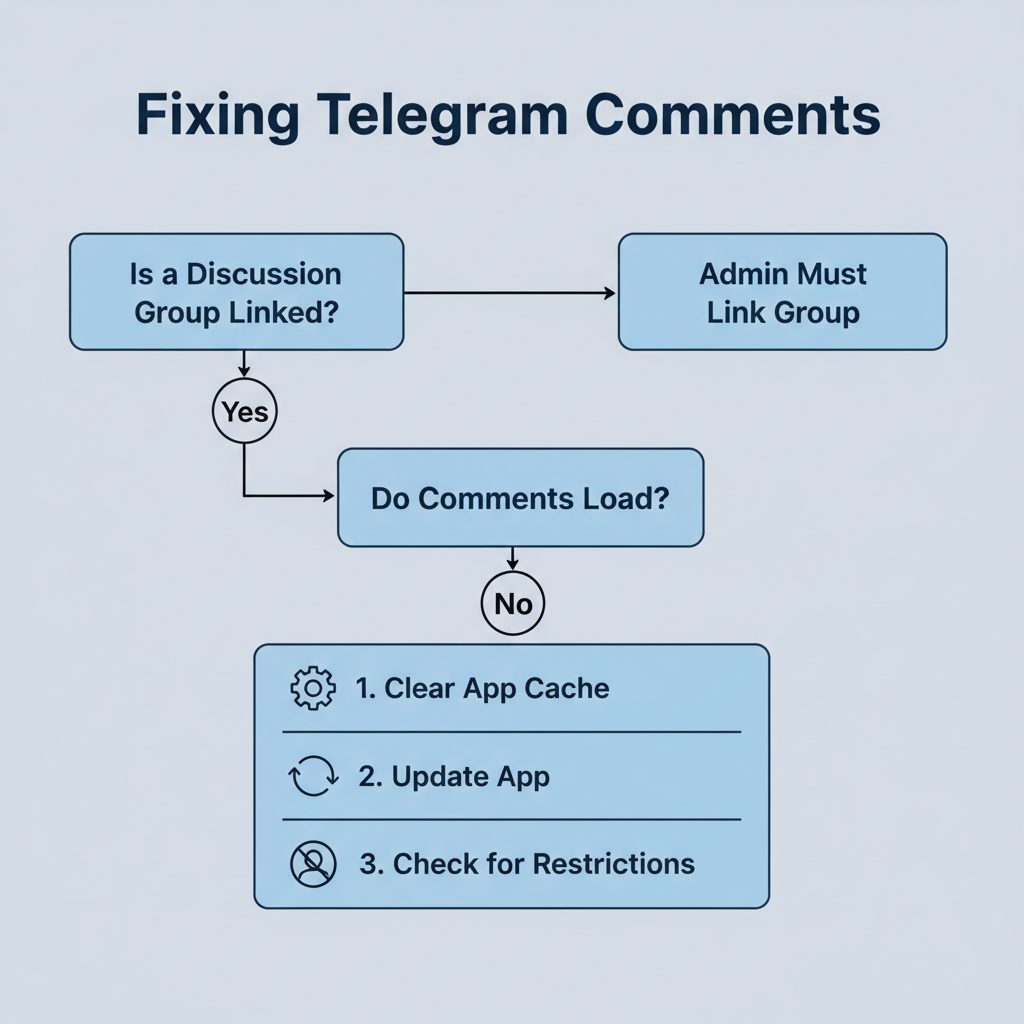
If you have a discussion group linked but comments still fail to load, the cause is different. For example, users often report seeing the comment count and avatars but getting an infinite spinning circle upon clicking. The table below outlines common symptoms and their likely causes.
| Symptom | Likely Cause | Primary Solution | Best for |
|---|---|---|---|
| 'Comments' button is missing | No discussion group is linked | Admin must link a group in channel settings. | Channel Admins |
| Spinning circle, comments never load | App cache or data issue | Clear the cache via Settings > Data and Storage > Storage Usage. | All Users |
| Comments visible on Desktop, not on mobile (or vice-versa) | Platform-specific bug | Update the app; check Telegram's bug tracker for known issues. | All Users |
| "Comments are disabled on this post" message | Post-specific setting | This is not a standard Telegram feature; likely a custom bot message. | Channel Members |
| You are muted or restricted in the group | Group-specific permission | An admin in the linked discussion group has restricted your account. | Channel Members |
| All comments disappear suddenly | Group was unlinked or deleted | The channel owner may have changed the discussion group settings. | Channel Members |
How Can I Fix Comment Loading Issues on My Device?
When the channel is configured correctly, the problem often lies with your Telegram app client. These issues are localized to your device and can usually be fixed without involving the channel admin.
- Clear Cache: A corrupted cache is a frequent cause of loading issues. Go to
Settings > Data and Storage > Storage Usageand tapClear Telegram Cache. This action does not delete your chats or media, only temporary files that can cause glitches. - Update the App: Running an outdated version of Telegram can lead to compatibility problems. Developers frequently patch bugs related to comment loading in new releases, so check the App Store or Google Play Store for updates.
- Check Network Connection: A weak or unstable internet connection can prevent comments from loading properly. Try switching between Wi-Fi and mobile data to see if the issue resolves. A VPN can also interfere with Telegram's connection in some cases.
- Reinstall the App: If clearing the cache and updating does not work, a full reinstall is the next step. This process clears local data and forces a fresh connection to Telegram's servers. Cloud chats sync back after you log in, but secret chats are stored only on the device and will be lost.
A corrupted cache is the most common culprit for loading issues on your device.
What if a restriction is causing the problem?
Sometimes, the issue isn't a bug but a restriction. Admins can set these at the channel, group, or user level.
First, a channel admin might have intentionally unlinked the discussion group. This action effectively disables comments on all future posts. If the comment button vanishes for everyone, this is the likely reason.
Second, an admin in the linked discussion group may have personally restricted you. If an admin has muted or banned you, you will not be able to see or post comments, even though other channel members can. You may see a message like “You can’t send messages to this group.” To fix this, you would need to contact one of the group's administrators.
Finally, platform-wide issues can occur. While rare, Telegram's servers can experience outages that affect specific features. You can check for widespread problems on sites like Downdetector or on social media. Official bug reports, like those on Telegram's public bug platform, also provide insight into ongoing issues.
How Can You Encourage the First Comments?
After fixing technical issues, an empty comment section can discourage users from being the first to speak. Seeding the conversation with initial comments can break the ice and signal that the community is active.
To address this, a service to add initial comments can be useful. TGRU provides Telegram Comments & Polls, allowing channel owners to add starter comments to their posts. This approach is not about faking a large community, but about kickstarting genuine discussion. Adding a few relevant, on-topic comments can prompt real users to join in.
The TGRU service is for channel owners who want to overcome initial user hesitation. It is not a solution for a broken comments feature. You should only consider it after confirming that comments are technically functional for all users. If you simply need to boost other metrics, exploring options for Telegram post shares or poll votes might be more appropriate.
Your Next Move
- Channel Admins: Immediately check
Channel Settings > Discussionto ensure a group is linked. This is the most common fix. - Channel Members: Clear your app cache via
Settings > Data and Storage > Storage Usage. This is the most effective user-side fix. - Update Your App: Go to your device's app store and install the latest version of Telegram to patch known bugs.
- Isolate the Problem: Ask another member of the channel if they can see the comments. If they can, the issue is specific to your account or device.
Frequently Asked Questions
How do I add comments in a Telegram channel?
To add comments, you must be the channel owner or an admin with the right permissions. Go to your channel's settings, tap on 'Discussion,' and link a discussion group. You can create a new group for this purpose. Once linked, a 'Leave a comment' button will appear under all new posts.
Can I buy Telegram comments?
Yes, you can buy Telegram comments from SMM service providers. This is often used to seed conversations on new posts, encouraging real users to participate. Services like TGRU's Telegram Comments & Polls let you add starter comments to specific posts, helping to kickstart engagement.
Why are Telegram channel comments not showing?
The most common reason is that the channel owner has not linked a discussion group in the channel's settings. Other causes include a corrupted app cache, an outdated version of the Telegram app, a platform-specific bug, or a personal restriction placed on your account within the linked group.
How do I disable comments on a Telegram channel?
To disable comments in a channel, you must unlink the discussion group. As a channel admin, go to 'Channel Settings' > 'Discussion' and tap 'Unlink Group.' This will remove the comment button from all future posts. Note that this action cannot be undone for past posts.